
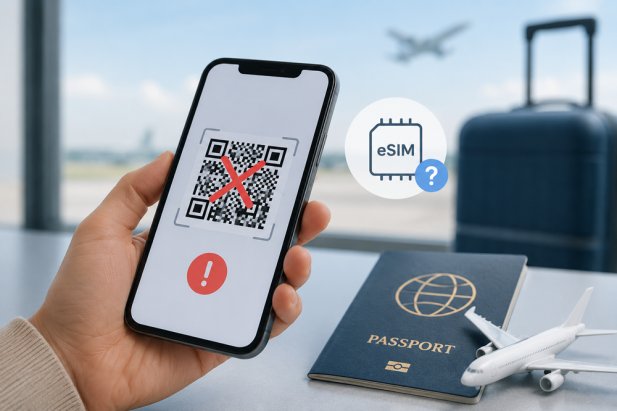

eSIM technology has made international travel much more convenient in recent years. Travelers no longer need to visit local mobile shops or swap physical SIM cards after arriving in a new country. With a simple QR code scan, users can activate mobile data directly on their smartphones within minutes.
However, one frustrating issue many travelers face before departure is a non-working eSIM QR code. This problem often appears at the worst possible moment, especially when travelers are preparing for flights, hotel check-ins, or important travel plans.
In 2026, eSIM adoption continues growing rapidly worldwide, but QR code activation issues are still surprisingly common. Sometimes the problem is related to device settings, while other times it may involve network restrictions or installation errors.
Many travelers purchasing an eSIM for travel panic when the QR code refuses to scan or displays activation errors before departure. Fortunately, most QR code problems can be fixed quickly once the actual cause is identified.
If your eSIM QR code is not working before your trip, here are the most important things you should check.
Make Sure Your Phone Supports eSIM
One of the first things travelers should verify is whether their smartphone actually supports eSIM functionality.
Not every device is compatible, even if it looks modern. Some phones only support physical SIM cards, while others may have eSIM disabled depending on the region or carrier restrictions.
Many travelers accidentally purchase eSIM plans without checking compatibility first.
You can usually confirm eSIM support by checking:
-
Phone settings
-
Manufacturer specifications
-
Carrier information
-
Device model compatibility lists
If your phone does not support eSIM, the QR code will never activate successfully.
Check if Your Device Is Carrier Locked
Carrier-locked phones remain one of the biggest reasons QR code activation fails.
Some mobile carriers prevent users from installing third-party eSIM profiles on their devices. Travelers often discover this problem only after attempting installation.
Common error messages include:
-
“Unable to add cellular plan”
-
“Unsupported carrier”
-
“Activation failed”
If your phone is locked, you may need to contact your original carrier before international travel.
Verify Your Internet Connection
A stable internet connection is required to download and install the eSIM profile properly.
Weak airport Wi-Fi, unstable mobile data, or interrupted internet access can prevent the QR code from working correctly.
Sometimes the installation process begins but fails halfway due to poor connectivity.
Before scanning the QR code, make sure you are connected to reliable Wi-Fi with a strong signal.
Avoid Scanning the QR Code Multiple Times
Many eSIM QR codes are designed for one-time use only.
Travelers who repeatedly scan the same code after failed attempts may accidentally lock the activation process.
In some cases, the eSIM profile partially installs during the first attempt, making future scans invalid.
If you have already attempted installation multiple times, check whether an incomplete eSIM profile already exists in your phone settings before trying again.
Ensure the QR Code Is Clear and Readable
Blurry screenshots and low-quality email attachments often cause scanning failures.
If the QR code appears unclear, damaged, cropped, or pixelated, the phone camera may not recognize it properly.
To improve scanning success:
-
Increase screen brightness
-
Avoid blurry screenshots
-
Use the original QR code file
-
Scan in proper lighting
-
Keep the camera steady
Sometimes simply opening the original email again solves the issue.
Restart Your Phone Before Trying Again
This may sound simple, but restarting the phone often fixes temporary software glitches affecting eSIM activation.
Many travelers skip this step and continue troubleshooting unnecessarily.
A restart can refresh network settings, remove temporary errors, and improve QR code detection.
After restarting, try scanning the QR code again through the phone’s cellular settings menu.
Check for Existing eSIM Profiles
Some devices limit how many eSIM profiles can be stored at the same time.
Older inactive profiles may interfere with new installations.
Travelers who frequently switch between eSIM plans sometimes forget to remove unused profiles from previous trips.
Deleting old or inactive eSIM profiles may help resolve activation problems.
Update Your Phone Software
Outdated operating systems can create compatibility issues with newer eSIM technology.
Software bugs sometimes prevent phones from properly reading QR codes or connecting to supported networks.
Before traveling, make sure your device is running the latest available software version.
This small step can prevent many activation problems before departure.
Why QR Code Problems Are More Common in 2026
As more travelers adopt eSIM technology globally, many first-time users are attempting installations without fully understanding the setup process.
Different phone manufacturers also use different activation methods, which creates confusion for travelers switching devices.
At the same time, carriers continue updating network systems and compatibility requirements, making activation procedures more complex than they were a few years ago.
Travelers rushing to install their eSIM at airports or during last-minute trip preparation are especially likely to encounter setup mistakes.
How to Avoid eSIM Activation Problems Before Traveling?
Travelers can reduce the risk of QR code failures by preparing ahead of time.
Helpful precautions include:
-
Confirming device compatibility early
-
Installing the eSIM before departure
-
Saving the QR code securely
-
Using strong Wi-Fi during setup
-
Updating phone software
-
Removing old unused eSIM profiles
-
Checking carrier unlock status
These simple steps can save a lot of stress during international travel.
Final Thoughts
A non-working eSIM QR code can feel frustrating before a trip, especially when travelers depend heavily on mobile connectivity abroad. Fortunately, most activation problems are caused by common issues like poor internet connections, device restrictions, software settings, or repeated scanning attempts.
By understanding the most common causes of QR code failures, travelers can solve problems faster and avoid unnecessary panic before departure. Proper preparation and careful setup remain the best ways to ensure a smooth eSIM activation experience in 2026.

